

What you will Get in this Internship
✅ Access to Recorded Session
✅ Access to Materials Like PPT , PDF etc..
✅ Access to Private community for lifetime
✅ Course validity – Lifetime Access
✅ Anytime/Anywhere access for videos
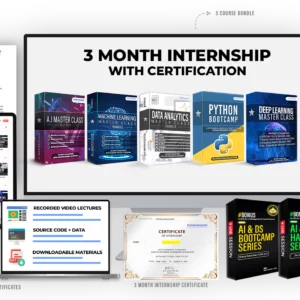
✅ 5 Internship E-Certificate
✅ Internship Offer Letter
Internship on Full Stack Web Development
Week 1: Introduction to Web Development & Front-end Basics
Day 1: Introduction to Web Development
Day 2: HTML
- Building the Structure for your Personal Website
Day 3: CSS
- Styling your Personal Website
Day 4: Responsive Design
- Make your Personal Website Responsive to display properly in all device
Day 5: JavaScript
- Improve the User Experience of your Personal Website using Javascript
Day 6: Document Object Model (DOM) Manipulation
- Adding Dynamic Feature in the Website based on user interaction with the website
Day 7: Complete Personal Website
- Recap of the week.
- Complete our Personal Website by adding all required Features
Week 2: Advanced Front-end Development & Introduction to Back-end
Day 8: Advanced CSS and Preprocessors
- Introduction to CSS preprocessors (SASS or LESS).
- [BONUS] Netflix Clone – Hero Section
Day 9: JavaScript ES6+ Features
- Let, const, arrow functions, template literals.
- Promises, async/await.
- Building Weather Web Application using Weather API
Day 10: Front-end Frameworks & Library – React
- Introduction to React and its ecosystem.
- Components, props, and state.
- Build a single-page application (SPA) with React – Mini ToDo App
Day 11: State Management
- Introduction to state management by using Context API and Redux.
- Integrate state management into your SPA.
Day 12: Introduction to Back-end Development
- Overview of back-end technologies.
- Setting up Node.js and Express.
- Build a simple REST API.
Day 13: Database Integration
- Introduction to databases (SQL vs. NoSQL).
- Connecting your API to a database (MongoDB or PostgreSQL).
- Creating web applications using MongoDB & PostgreSQL
Day 14: Authentication Process on Web Application Add authentication to your SPA and API.
Week 3: Full Stack Integration & DevOps
Basics
Day 15: Connecting Front-end to Back-end
- Video Testimonial Tool for Companies
Day 16: Advanced Back-end Techniques
- Building middleware for authentication.
- Complete ToDo Application
Day 17: Introduction to Testing
- Unit testing, integration testing.
- Testing in front-end and back-end (Jest, Mocha).
- Mini-project: Write tests for your application.
Day 18: DevOps – Docker
- Introduction to Docker.
- Convert & Push your Web application as an Docker Image into Dockerhub
Day 19: DevOps – Git/GitHUB
- Introduction to Git & GitHub
- Exploring Various GitCommands
Day 20: DevOps & Deployment – Heroku & CI/CD Pipeline
- Deploying your application (Heroku).
- Continuous Integration/Continuous Deployment (CI/CD) basics.
Day 21: Introduction to Other Frameworks and Libraries
- Overview of other popular tools (Vue, Angular).
- Small tasks using new tools.
Day 22: Introduction to Python-based web application
- Overview of other popular tools (Flask & Django).
- Creating Web Applicaton using Django with ChatGPT API
Day 23: Planning and Design
- Conceptualization of the web application idea.
Requirement analysis for functionality, features, and user interactions.
- Technology selection for front-end and back-end.
- Designing wireframes or mockups for the application’s UI.
- [BONUS] Netflix Clone Complete
Day 24: Launching your Application
- Introduction to Domain & Hosting
- Deploying the application to a cloud platform or hosting service.
Day 25: Security Best Practices
Web application security fundamentals.
Securing your application (OWASP Top 10).
Day 26: Scalable Architectures
- Introduction to microservices and serverless architectures.
Case study: Scaling a web application.
Day 27: Building Portfolio
- Setting up Personal Website, GitHub & LinkedIn Profile
Day 28: Creating another Source of Income
- Freelancing and remote work opportunities.
Day 29: Career Skills in Web Development
- Resume writing and interview preparation, Crack interview on Full stack journey.
Day 30: Final Review & Graduation
- Final project presentations.
- Feedback session.
- Graduation and next steps
Website Building Mastery
- Create a Complete Website FRom Scratch using WordPress
E-commerce Building Mastery
- Welcome to E-commerce Building Mastery
- E-commerce WordPress Hosting
- E-commerce Free Templates
- Create Category and Product
- How to Create Virtual Product
- How to integrate Domestic and International Payment Gateway
- Instamojo Online Store
Canva Blueprint
- Introduction to Canva
- Creating and Exploring Canva
- Creating YouTube Thumbnail template
- Creating YouTube Thumbnail from Scratch
- Creating Ad Image
- Creating Images for Different Purpose
- Tips for Creating a Canva Image – Part 1
- How to Create a Single Image Carousel
- Creating a Same Series of Image in Bulck
- Canva Addons
AI For Everything
- Introduction to Generative AI
- ChatGPT & its Prompts
- Creating YouTube Channel Powered by A.I – Complete Journey
- Website Designing using Generative A.I
- Content Creation & SEO – Blog/Website
- Project Development & Selling
Reviews
There are no reviews yet.